Introduction
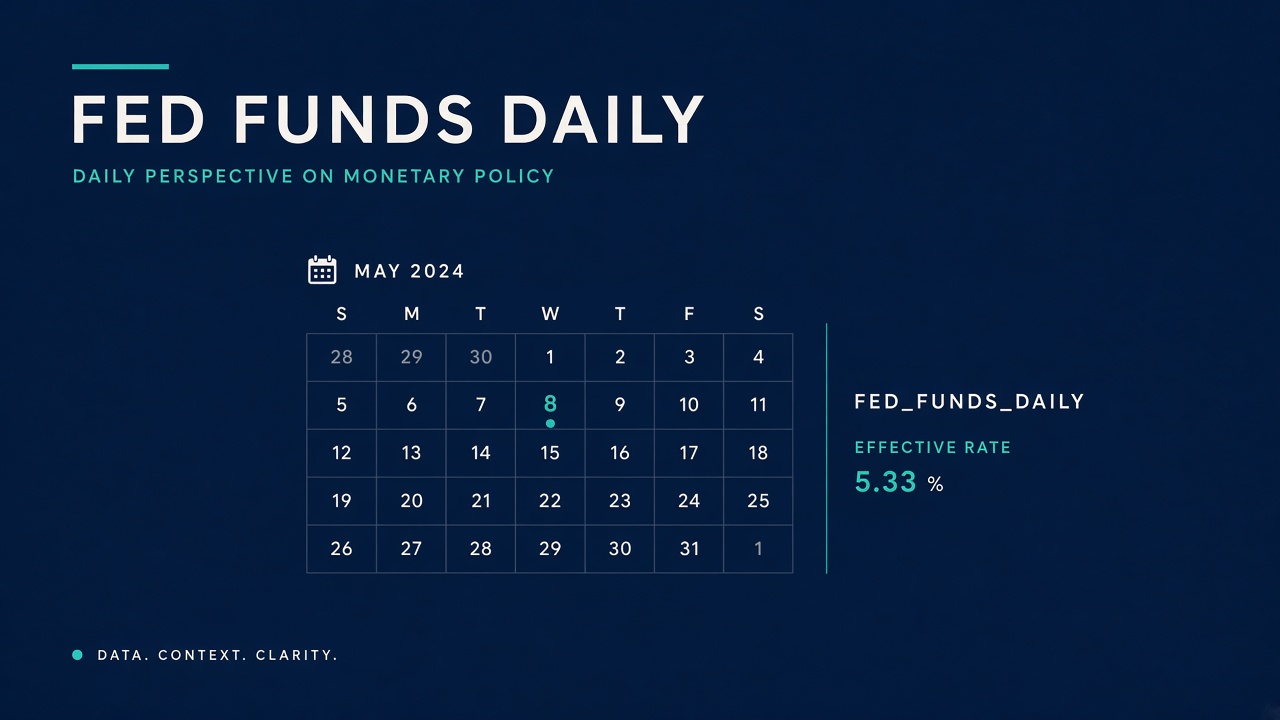
In the fast-paced world of finance, access to accurate and timely interest rate data is crucial for developers, economists, and financial analysts. The Federal Funds Daily rate, which represents the interest rate at which depository institutions lend reserve balances to each other overnight, is a key indicator of the economic landscape. Integrating this data into your applications can enhance financial analysis, improve decision-making, and provide valuable insights into market trends. In this guide, we will explore how to integrate the Federal Funds Daily data from Interest Rates API into your application using a comprehensive step-by-step approach.
Why Use Interest Rates API?
The Interest Rates API provides a robust solution for accessing a wide range of interest rate data, including central bank rates, interbank rates, and treasury rates. By leveraging this API, developers can avoid the complexities of building and maintaining their own data infrastructure. The API offers reliable, real-time data that can be easily integrated into various applications, saving time and resources while ensuring accuracy.
Getting Started with the API
Before diving into the integration process, it’s essential to understand the API's structure and the endpoints available for accessing the Federal Funds Daily data. The API uses a simple GET method for all requests, and authentication is handled through the api_key query parameter. Below are the key endpoints we will cover:
- /symbols: Retrieve a catalogue of available rate symbols.
- /latest: Get the latest value for specified symbols.
- /historical: Fetch the value on a specific date.
- /timeseries: Access a series of values between two dates.
- /fluctuation: Analyze change statistics over a range.
- /ohlc: Obtain OHLC candlestick data.
- /convert: Compare loan interest costs between two rates.
Step 1: Retrieve Available Symbols
The first step in integrating the Federal Funds Daily data is to retrieve the available symbols from the API. This will help you confirm that the FED_FUNDS_DAILY symbol is available for use.
API Request
To get the list of available symbols, you can use the following cURL command:
curl "https://interestratesapi.com/api/v1/symbols?category=central_bank&base=USD&api_key=YOUR_KEY"JSON Response Example
The response will include a list of symbols along with their details:
{
"success": true,
"count": 2,
"symbols": [
{
"symbol": "FED_FUNDS",
"name": "US Federal Funds Rate",
"category": "central_bank",
"country_code": "US",
"currency_code": "USD",
"frequency": "daily",
"description": "The interest rate at which depository institutions lend reserve balances to each other overnight"
}
]
}
Implementation in Python
Here’s how you can implement this in Python:
import requests

response = requests.get(
'https://interestratesapi.com/api/v1/symbols',
params=dict(category='central_bank', base='USD', api_key='YOUR_KEY')
)

data = response.json()
Implementation in JavaScript
For JavaScript, you can use the fetch API:
const response = await fetch(
'https://interestratesapi.com/api/v1/symbols?category=central_bank&base=USD&api_key=YOUR_KEY'
);
const data = await response.json();
Implementation in PHP
In PHP, you can use the following code:
$url = "https://interestratesapi.com/api/v1/symbols?category=central_bank&base=USD&api_key=YOUR_KEY";
$response = file_get_contents($url);
$data = json_decode($response, true);
Step 2: Fetch the Latest Federal Funds Daily Rate
Once you have confirmed the availability of the FED_FUNDS_DAILY symbol, the next step is to fetch the latest rate.
API Request
Use the following cURL command to get the latest rate:
curl "https://interestratesapi.com/api/v1/latest?symbols=FED_FUNDS_DAILY&api_key=YOUR_KEY"JSON Response Example
The response will provide the latest rate along with the date:
{
"success": true,
"date": "2026-08-01",
"base": "MIXED",
"rates": {
"FED_FUNDS_DAILY": 5.33
},
"dates": {
"FED_FUNDS_DAILY": "2026-08-01"
},
"currencies": {
"FED_FUNDS_DAILY": "USD"
}
}
Implementation in Python
Here’s how to implement this in Python:
response = requests.get(
'https://interestratesapi.com/api/v1/latest',
params=dict(symbols='FED_FUNDS_DAILY', api_key='YOUR_KEY')
)

data = response.json()
Implementation in JavaScript
For JavaScript, use the following code:
const response = await fetch(
'https://interestratesapi.com/api/v1/latest?symbols=FED_FUNDS_DAILY&api_key=YOUR_KEY'
);
const data = await response.json();
Implementation in PHP
In PHP, you can use:
$url = "https://interestratesapi.com/api/v1/latest?symbols=FED_FUNDS_DAILY&api_key=YOUR_KEY";
$response = file_get_contents($url);
$data = json_decode($response, true);
Step 3: Access Historical Data
To analyze trends over time, you may want to access historical data for the Federal Funds Daily rate.
API Request
Use the following cURL command to fetch historical data for a specific date:
curl "https://interestratesapi.com/api/v1/historical?date=2025-06-15&symbols=FED_FUNDS_DAILY&api_key=YOUR_KEY"JSON Response Example
The response will include the rate for the specified date:
{
"success": true,
"date": "2025-06-15",
"base": "USD",
"rates": {
"FED_FUNDS_DAILY": 5.33
},
"currencies": {
"FED_FUNDS_DAILY": "USD"
}
}
Implementation in Python
Here’s how to implement this in Python:
response = requests.get(
'https://interestratesapi.com/api/v1/historical',
params=dict(date='2025-06-15', symbols='FED_FUNDS_DAILY', api_key='YOUR_KEY')
)

data = response.json()
Implementation in JavaScript
For JavaScript, use the following code:
const response = await fetch(
'https://interestratesapi.com/api/v1/historical?date=2025-06-15&symbols=FED_FUNDS_DAILY&api_key=YOUR_KEY'
);
const data = await response.json();
Implementation in PHP
In PHP, you can use:
$url = "https://interestratesapi.com/api/v1/historical?date=2025-06-15&symbols=FED_FUNDS_DAILY&api_key=YOUR_KEY";
$response = file_get_contents($url);
$data = json_decode($response, true);
Step 4: Retrieve Time Series Data
To analyze trends over a specific period, you can retrieve time series data for the Federal Funds Daily rate.
API Request
Use the following cURL command to get time series data:
curl "https://interestratesapi.com/api/v1/timeseries?start=2025-08-01&end=2026-08-01&symbols=FED_FUNDS_DAILY&api_key=YOUR_KEY"JSON Response Example
The response will include the rates for each day in the specified range:
{
"success": true,
"base": "USD",
"start_date": "2025-08-01",
"end_date": "2026-08-01",
"rates": {
"FED_FUNDS_DAILY": {
"2025-01-02": 5.33,
"2025-01-03": 5.33,
"2025-01-06": 5.33
}
},
"frequencies": {
"FED_FUNDS_DAILY": "daily"
},
"currencies": {
"FED_FUNDS_DAILY": "USD"
}
}
Implementation in Python
Here’s how to implement this in Python:
response = requests.get(
'https://interestratesapi.com/api/v1/timeseries',
params=dict(start='2025-08-01', end='2026-08-01', symbols='FED_FUNDS_DAILY', api_key='YOUR_KEY')
)

data = response.json()
Implementation in JavaScript
For JavaScript, use the following code:
const response = await fetch(
'https://interestratesapi.com/api/v1/timeseries?start=2025-08-01&end=2026-08-01&symbols=FED_FUNDS_DAILY&api_key=YOUR_KEY'
);
const data = await response.json();
Implementation in PHP
In PHP, you can use:
$url = "https://interestratesapi.com/api/v1/timeseries?start=2025-08-01&end=2026-08-01&symbols=FED_FUNDS_DAILY&api_key=YOUR_KEY";
$response = file_get_contents($url);
$data = json_decode($response, true);
Step 5: Analyze Fluctuations
To understand how the Federal Funds Daily rate has changed over a specific period, you can analyze fluctuations.
API Request
Use the following cURL command to get fluctuation data:
curl "https://interestratesapi.com/api/v1/fluctuation?start=2025-08-01&end=2026-08-01&symbols=FED_FUNDS_DAILY&api_key=YOUR_KEY"JSON Response Example
The response will provide statistics about the rate changes:
{
"success": true,
"rates": {
"FED_FUNDS_DAILY": {
"start_date": "2025-08-01",
"end_date": "2026-08-01",
"start_value": 5.50,
"end_value": 5.33,
"change": -0.17,
"change_pct": -3.09,
"high": 5.50,
"low": 5.25
}
}
}
Implementation in Python
Here’s how to implement this in Python:
response = requests.get(
'https://interestratesapi.com/api/v1/fluctuation',
params=dict(start='2025-08-01', end='2026-08-01', symbols='FED_FUNDS_DAILY', api_key='YOUR_KEY')
)

data = response.json()
Implementation in JavaScript
For JavaScript, use the following code:
const response = await fetch(
'https://interestratesapi.com/api/v1/fluctuation?start=2025-08-01&end=2026-08-01&symbols=FED_FUNDS_DAILY&api_key=YOUR_KEY'
);
const data = await response.json();
Implementation in PHP
In PHP, you can use:
$url = "https://interestratesapi.com/api/v1/fluctuation?start=2025-08-01&end=2026-08-01&symbols=FED_FUNDS_DAILY&api_key=YOUR_KEY";
$response = file_get_contents($url);
$data = json_decode($response, true);
Step 6: Obtain OHLC Data
For financial analysis, you may want to obtain Open, High, Low, Close (OHLC) data for the Federal Funds Daily rate.
API Request
Use the following cURL command to get OHLC data:
curl "https://interestratesapi.com/api/v1/ohlc?symbols=FED_FUNDS_DAILY&period=monthly&start=2025-08-01&end=2026-08-01&api_key=YOUR_KEY"JSON Response Example
The response will include the OHLC data for the specified period:
{
"success": true,
"period": "monthly",
"start_date": "2025-08-01",
"end_date": "2026-08-01",
"rates": {
"FED_FUNDS_DAILY": [
{
"period": "2025-01",
"open": 5.50,
"high": 5.50,
"low": 5.33,
"close": 5.33,
"data_points": 23
}
]
}
}
Implementation in Python
Here’s how to implement this in Python:
response = requests.get(
'https://interestratesapi.com/api/v1/ohlc',
params=dict(symbols='FED_FUNDS_DAILY', period='monthly', start='2025-08-01', end='2026-08-01', api_key='YOUR_KEY')
)

data = response.json()
Implementation in JavaScript
For JavaScript, use the following code:
const response = await fetch(
'https://interestratesapi.com/api/v1/ohlc?symbols=FED_FUNDS_DAILY&period=monthly&start=2025-08-01&end=2026-08-01&api_key=YOUR_KEY'
);
const data = await response.json();
Implementation in PHP
In PHP, you can use:
$url = "https://interestratesapi.com/api/v1/ohlc?symbols=FED_FUNDS_DAILY&period=monthly&start=2025-08-01&end=2026-08-01&api_key=YOUR_KEY";
$response = file_get_contents($url);
$data = json_decode($response, true);
Step 7: Compare Loan Interest Costs
Finally, you can compare the loan interest costs between the Federal Funds Daily rate and another rate using the convert endpoint.
API Request
Use the following cURL command to compare rates:
curl "https://interestratesapi.com/api/v1/convert?from=FED_FUNDS_DAILY&to=ECB_MRO&amount=100000&term_months=12&api_key=YOUR_KEY"JSON Response Example
The response will provide a comparison of the total interest costs:
{
"success": true,
"amount": 100000,
"term_months": 12,
"from": {
"symbol": "FED_FUNDS_DAILY",
"rate": 5.33,
"date": "2026-08-01",
"total_interest": 5330.00,
"total_payment": 105330.00
},
"to": {
"symbol": "ECB_MRO",
"rate": 4.50,
"date": "2026-08-01",
"total_interest": 4500.00,
"total_payment": 104500.00
},
"difference": {
"rate_spread": 0.83,
"interest_saved": 830.00
}
}
Implementation in Python
Here’s how to implement this in Python:
response = requests.get(
'https://interestratesapi.com/api/v1/convert',
params=dict(from='FED_FUNDS_DAILY', to='ECB_MRO', amount=100000, term_months=12, api_key='YOUR_KEY')
)

data = response.json()
Implementation in JavaScript
For JavaScript, use the following code:
const response = await fetch(
'https://interestratesapi.com/api/v1/convert?from=FED_FUNDS_DAILY&to=ECB_MRO&amount=100000&term_months=12&api_key=YOUR_KEY'
);
const data = await response.json();
Implementation in PHP
In PHP, you can use:
$url = "https://interestratesapi.com/api/v1/convert?from=FED_FUNDS_DAILY&to=ECB_MRO&amount=100000&term_months=12&api_key=YOUR_KEY";
$response = file_get_contents($url);
$data = json_decode($response, true);
Error Handling
When working with APIs, it’s essential to handle errors gracefully. The Interest Rates API provides various error responses that you should be prepared to manage:
- 401: Missing
api_key, invalid or revoked key, user not found. - 403: Account without active plan.
- 404: No symbols matched or no data for requested date/range.
- 422: Validation error (e.g., wrong date format, invalid symbol).
- 429: Request quota exhausted.
For example, if you receive a 404 error, you should check the requested symbol or date range to ensure they are valid. A 401 error indicates an issue with your API key, which should be verified.
Rate Limit Headers
The API also provides rate limit headers that can help you manage your usage:
- X-RateLimit-Limit: The maximum number of requests you can make in a given time period.
- X-RateLimit-Remaining: The number of requests remaining in the current time period.
- X-RateLimit-Reset: The time when the rate limit will reset.
By monitoring these headers, you can optimize your API usage and avoid hitting rate limits.
Mini Project: Node.js/Express Endpoint
To demonstrate the integration of the Federal Funds Daily rate data, let’s create a simple Node.js/Express endpoint that fetches, caches, and serves the data.
Setup
First, ensure you have Node.js and Express installed. Create a new project and install the necessary packages:
npm init -y
npm install express axios node-cache
Code Example
Here’s a simple implementation:
const express = require('express');
const axios = require('axios');
const NodeCache = require('node-cache');

const app = express();
const cache = new NodeCache();

const API_KEY = 'YOUR_KEY';
const BASE_URL = 'https://interestratesapi.com/api/v1/latest?symbols=FED_FUNDS_DAILY&api_key=' + API_KEY;

app.get('/fed-funds-rate', async (req, res) => {
const cachedData = cache.get('fedFundsRate');

if (cachedData) {
return res.json(cachedData);
}

try {
const response = await axios.get(BASE_URL);
cache.set('fedFundsRate', response.data, 3600); // Cache for 1 hour
res.json(response.data);
} catch (error) {
res.status(500).json({ error: 'Failed to fetch data' });
}
});

app.listen(3000, () => {
console.log('Server is running on port 3000');
});
Conclusion
Integrating the Federal Funds Daily data into your application using the Interest Rates API is a straightforward process that can significantly enhance your financial analysis capabilities. By following the steps outlined in this guide, you can efficiently access and utilize interest rate data, enabling better decision-making and insights. Whether you are building a fintech application or conducting economic research, the API provides the tools you need to succeed.
For more information and to explore additional features, visit Explore Interest Rates API features and Get started with Interest Rates API.